Overleaf alternative

A free Overleaf alternative
with your library built in.

ResearchCube is a research workspace in your browser: a LaTeX editor that compiles on your own computer, real-time co-writing with track changes, and a reference library, PDF reader and AI literature search in the same place. Your projects stay in your own Google Drive.

Start for free See the comparison

Last updated: 19 November 2026

ResearchCube Free vs Overleaf Free

What you get without paying, side by side.

ResearchCube FreeOverleaf Free
Collaborators per project21
Track changes and commentsIncluded (suggested changes, comments)Paid plans only
Version historyKept by Google Drive (older versions usually for 30 days)Previous 24 hours
Compile time limitNone on our side: LaTeX compiles in your browser“Basic” limit; paid plans get 24× more time
Reference libraryBuilt in: add papers by click, DOI or .bib; citations complete from itZotero / Mendeley sync on paid plans only
Literature search250M+ works (OpenAlex), AI ranks what fits your projectNot included
PDF reader with highlights and notesIncludedNot included
AI writing help5 requests a day, with your own free Gemini key5 AI uses a day; AI Assistant on paid plans
TemplatesIEEE, Elsevier, Springer, ACM, REVTeX, AMS, thesis templates; or upload your ownThousands of community templates
Git / GitHubNot availablePaid plans
Where your files liveOnly in your own Google DriveOn Overleaf's servers
Sign-inGoogle accountAny email

Overleaf details from overleaf.com/user/subscription/plans, checked on 19 November 2026. Plans change; check the source before you decide.

Write

Real LaTeX in the browser. Nothing to install.

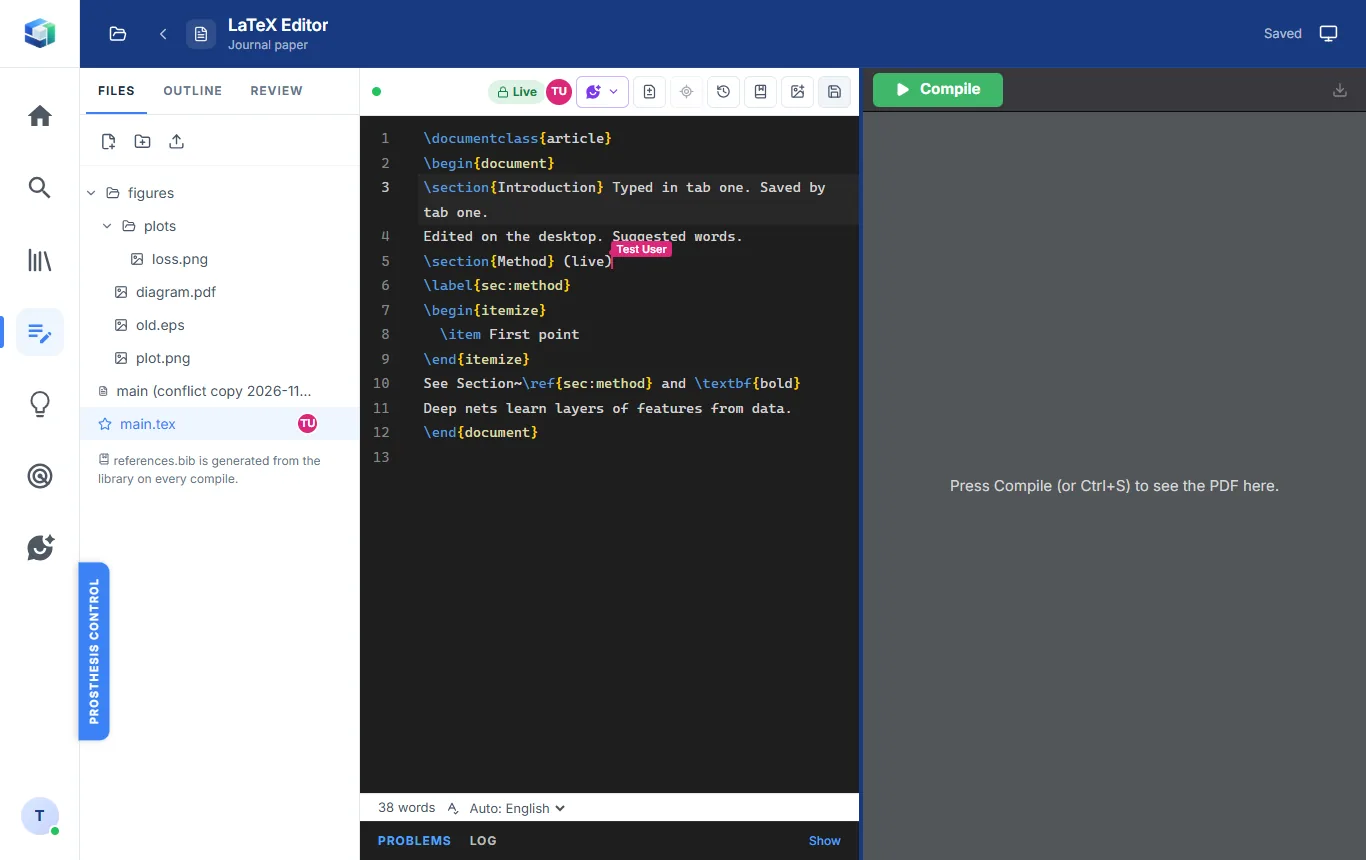
Write and compile LaTeX directly in ResearchCube. The compiler (TeX Live in WebAssembly) runs on your own computer, so there is no compile queue and no server timeout.

ResearchCube LaTeX editor with PDF preview
Co-write

Track changes are free.

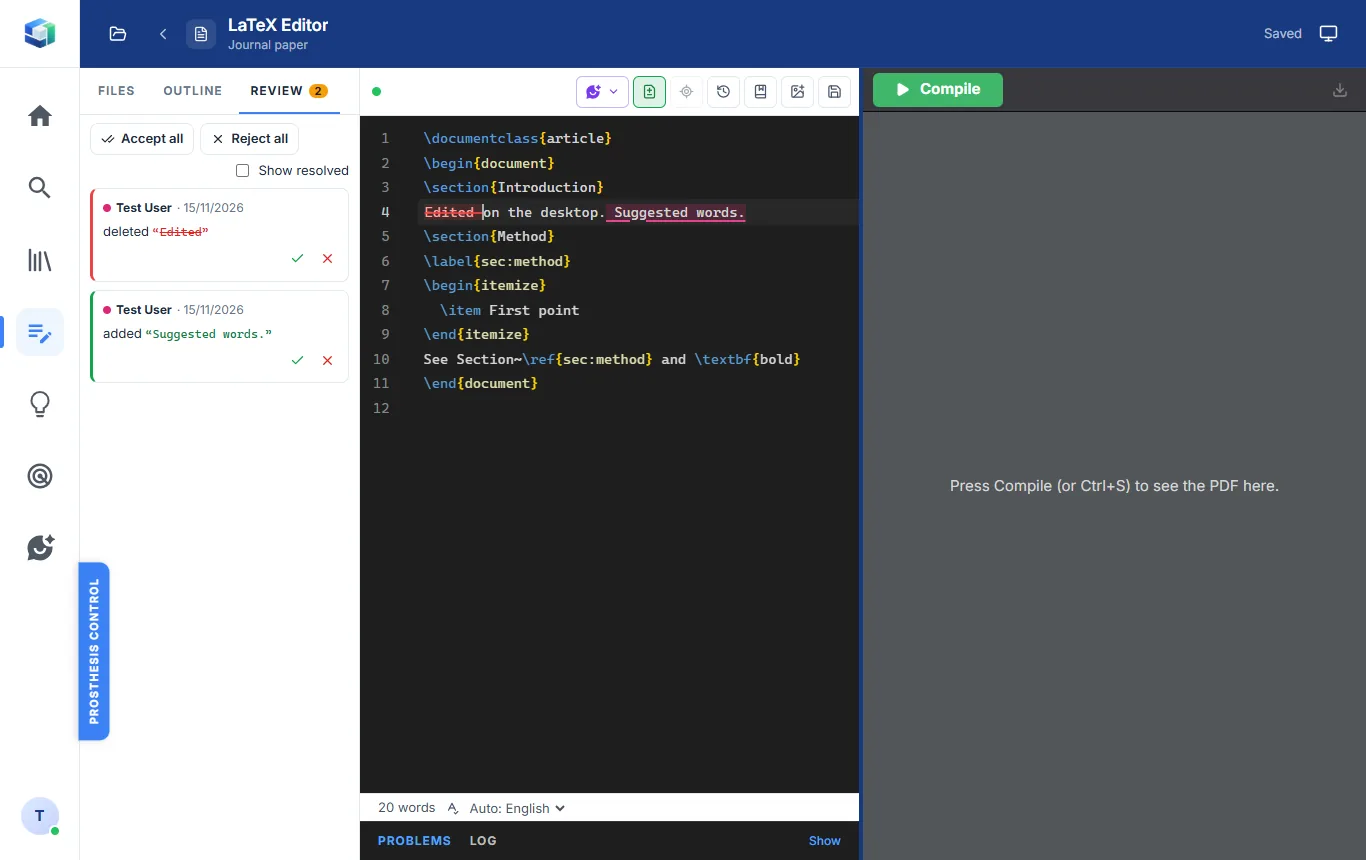
Share a project and write in the same file at the same time. Co-authors suggest changes and leave comments; you accept or reject them one by one. Edits are end-to-end encrypted on the way.

Suggested changes and comments in a shared LaTeX document
Find and read

The part Overleaf leaves out: your sources.

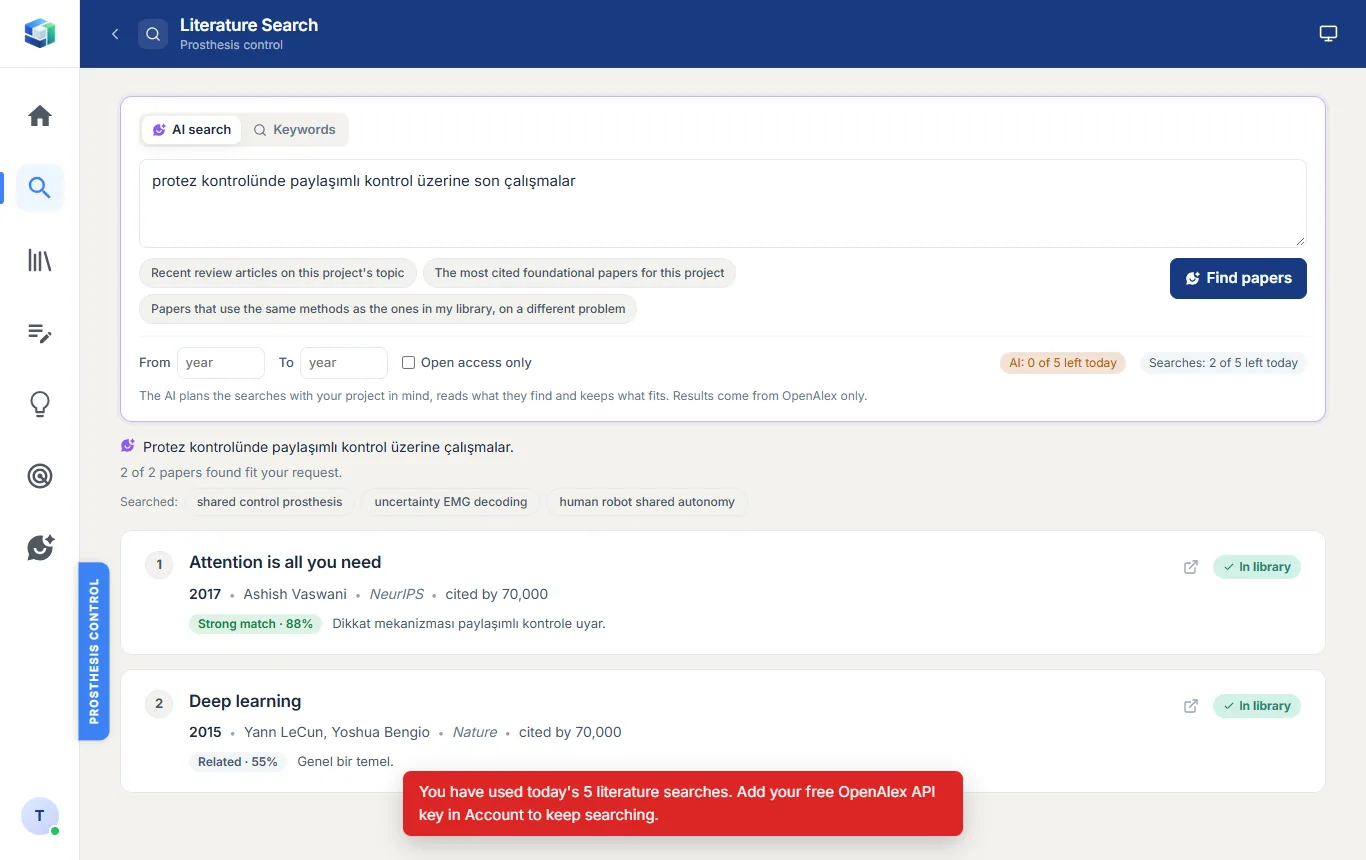
Search more than 250 million scholarly works in plain words; the AI keeps what fits your project and says why. Add papers in one click, read and annotate the PDFs, and cite them in your LaTeX without leaving the workspace.

AI literature search in ResearchCube

Which one should you use?

An honest answer: it depends on how you work. See 7 free Overleaf alternatives compared →

Choose ResearchCube if…

  • You write with one or two co-authors and need track changes without paying.
  • You want your references, PDFs and LaTeX in one place instead of Overleaf plus Zotero plus a PDF reader.
  • Your document hits compile timeouts.
  • Your files must stay in your own storage (your Google Drive).
  • You write a thesis or TÜBİTAK proposal in Turkey: İTÜ thesis and TÜBİTAK templates are ready.

Stay with Overleaf if…

  • You need a specific template from its large community gallery.
  • You sync projects with Git or GitHub (on its paid plans).
  • You cannot or do not want to use a Google account.
  • Your institution already pays for Overleaf and your group works there.

Move an Overleaf project in five minutes

  1. In Overleaf: open the project, Menu → Download → Source (.zip).
  2. In ResearchCube: create a project, open Write, and upload the .tex files and figures from the .zip.
  3. Bring your references: import the project's .bib file into the library; citations keep working.
  4. Invite your co-author and compile.

Questions

Is ResearchCube really free?

Yes. The Free plan never ends: 5 projects, 2 collaborators per project, the LaTeX editor, templates, the library and the PDF reader, plus 5 AI requests and 5 literature searches a day. Pro removes the daily limits.

Can I move my Overleaf project to ResearchCube?

Yes. Download your project from Overleaf as a .zip, upload the .tex files and figures to the ResearchCube editor, and import your .bib file into the library.

Is there a compile time limit?

LaTeX compiles inside your own browser (TeX Live in WebAssembly), so there is no server-side compile timeout. Very large documents compile as fast as your computer allows.

Where are my files stored?

Only in your own Google Drive. ResearchCube keeps only basic account data such as your membership and plan.

Do I need a Google account?

Yes. ResearchCube signs in with Google because your projects are stored in your Google Drive.

Try it on your next paper

Free, no card needed. Sign in with Google and your first project is ready.

Start for free All features